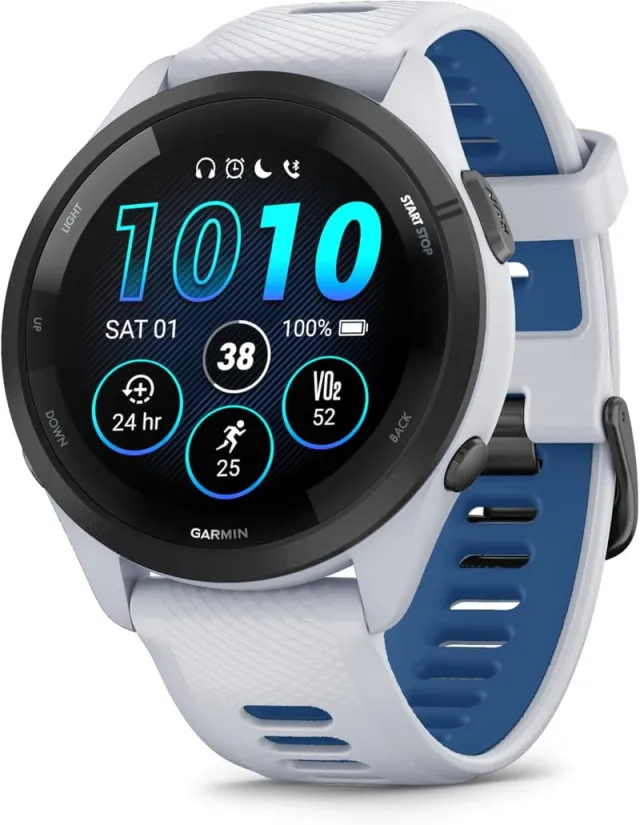
10 prompts to train for trail with your Garmin and ChatGPT or Claude
The Garmins that give an AI the most data
Connecting your Garmin to an AI isn’t worth much if you don’t know what to ask it. Here are 10 prompts that work for trail running: copy them with one tap, paste them into ChatGPT or Claude and change only what’s in square brackets. They’re built to be read on your phone, right before a run or on the way back from the mountain.
Haven’t connected your Garmin yet?The 5 ways to do it in 2026, which to pick and the risks of each →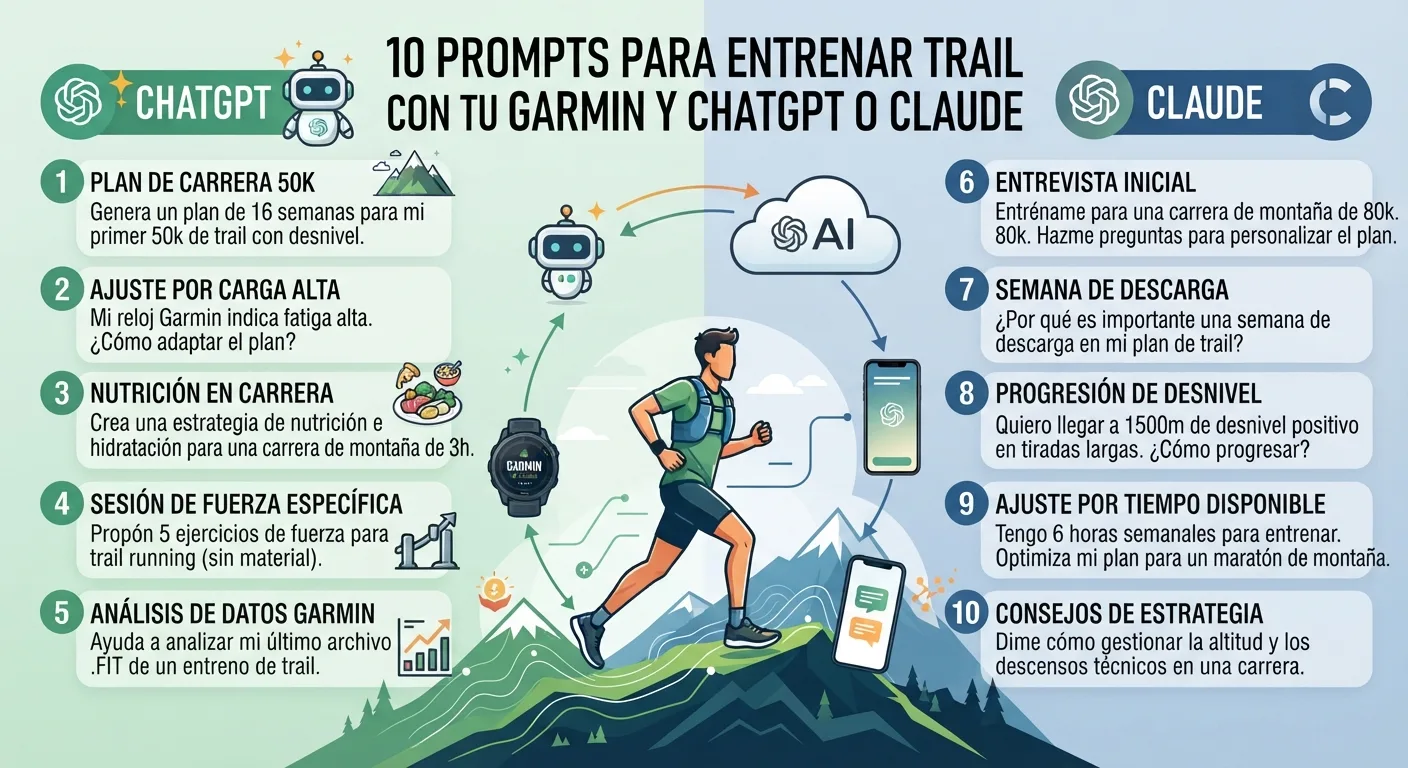
Before you paste anything: the three-data rule
A weak prompt gets a generic answer. A good one always includes three things, and it’s best to give them once, at the start of the conversation:
- Your specific goal: race, date, distance and elevation gain.
- Your real availability: days per week and maximum hours.
- Your limits: recent injuries, niggles and any pain that’s non-negotiable.
And one line that prevents 80% of disasters: “If you’re missing a piece of data, ask me. Don’t make up numbers.” Every prompt below includes it.
You are my trail running coach. My goal: [race], on [date], [distance] km and [elevation] m of climbing. I can train [days] days a week, maximum [hours] hours. Injuries or niggles: [none / describe]. If you're missing a piece of data, ask me: don't make up numbers or assume you've seen data I haven't given you.
Prompts for day-to-day training
You’ll use these four every week. They work much better if the AI reads your Garmin data (HRV, sleep, load) through a connector; if not, paste it a summary by hand.
Review my last 4 weeks using my Garmin data: kilometres, elevation, training load, sleep and HRV. Tell me in 5 lines: what's going well, what worries you and what you'd adjust next week. If you see a weekly load jump of more than 10%, warn me.
Based on my HRV over the last few nights, my sleep and my acute load, should I do intervals tomorrow or an easy run? Give me a clear answer (intervals / easy / rest), the two data points that weigh most in your decision and what body signal should make me change it.
Compare my pace and heart rate on climbs this month with last month. Am I improving or just more tired? Tell me whether my climbing problem is pace, heart rate shooting up or loss of cadence, and give me one specific workout to fix it.
Look at my resting heart rate, HRV and sleep over the last 3 weeks. Are there signs of overtraining or of me not recovering enough? If there isn't enough data to say so, tell me instead of guessing.
One detail decides the quality of these four prompts: the heart rate the AI reads. With a wrist sensor, short intervals and cold weather create false spikes that contaminate HRV and load, and the analysis comes out vague. The Garmin HRM-200 chest strap(opens in a new tab) reads from the torso and removes that noise. If your watch doesn’t measure overnight HRV, no prompt will fix that:

→ See the trail watch comparison
Prompts to prepare your race
This is where AI gets really useful: you take a real race and ask it to turn it into a plan. Swap in the name and figures for your event. As examples, these three are popular: the Ultra Pirineu (100K and 6,400 m of climbing), the Zegama-Aizkorri and the Transgrancanaria.
Design me a [X]-week plan up to [race] ([distance] km, [elevation] m of climbing). For each week give me: 4 sessions, one long run with climbing and a recovery week every 4. State the weekly elevation target and why it goes up or down. Finish with a taper week.
With the profile of [race] (I'm pasting the track or the sections: [km and climbing of each section]) and my climbing pace of [min/km] and flat pace of [min/km], give me a plan by section: where to stay comfortable, where to push, where to walk and what time I should reach each aid station so I'm not cutting it fine with the cut-offs.
I'm going to run [race], expected to take [hours] hours, at [temperature] °C. Calculate how many grams of carbohydrate and how much sodium and fluid I need per hour, and build a table of what to take every 30 minutes. I weigh [kg] kg and tolerate [gels / real food / both] well. Tell me what to adjust if it gets hot.
For prompt 7 you need to carry what the AI calculates. The basics in races over 4-5 hours: a well-tolerated carbohydrate gel, like the Precision Fuel PF30(opens in a new tab), and replacement salts. If you’re unsure about sodium, there’s our guide to salt tablets.

Make a gear list for [race] starting at [time], with forecast from [low] to [high] °C and [rain/snow info]. Separate what the rules require from what you recommend, and mark what I should wear and what goes in the pack. Don't add anything that weighs more than it's worth.
When the AI gives you that list, don’t copy it by hand: every TrailRunTemple race page has the Pack 360 with gear, nutrition and accommodation already organised. Open the page for your race and tick off what you’re missing.
Prompts for afterwards
I have [X] days until [race]. Give me a day-by-day plan: which workouts to do, how much to cut volume without losing sharpness, what to eat, how to sleep better and what not to touch (new gear, new foods). I want to arrive fresh and not worried.
I've just run [race] ([distance] km, [elevation] m of climbing). Give me a 2-week recovery plan: when to return to running, what to do in the first 3 days, when it would be a mistake to push hard again and what signs would tell me to stop and see a doctor.
5 mistakes that ruin the result
- Trusting a number the AI hasn’t seen. If it answers something very specific about your HRV without a connector, it’s making it up. Always ask: “Where does that figure come from?”
- Asking for a plan without limits. Without injuries and real days it will give you a textbook plan you can’t follow.
- Not updating. A 12-week plan breaks by week two. Every week, go back to prompt 1.
- Changing plan over one bad day. One bad night isn’t a trend: the AI decides better with 3 weeks than with 1 night.
- Replacing the doctor. Pain that won’t go away, dizziness or palpitations aren’t solved with a chat.
Frequently asked questions
Do I need to pay for ChatGPT or Claude to use these prompts?
No. They work with the free versions if you paste your data in by hand. Paid plans give you higher limits and, depending on the platform, the ability to use connectors. See the guide to connecting Garmin to ChatGPT or Claude for what each option needs.
Do these prompts work with Coros, Suunto or Polar?
Yes, the prompts are the same. What changes is how the data reaches the AI: export your activities or summaries and paste them into the chat.
Can the AI send the plan to my watch?
Only if you use a service that writes to your Garmin calendar. We explain it in the connector guide. If you’re torn between AI and Garmin’s free coach, compare them in ChatGPT vs Garmin Coach.
Does it replace a real coach?
No. It’s a good assistant for organising, analysing and answering quick questions. For demanding goals or injuries, a coach who knows you is still better.
Next step
Your first prompt today: number 1 (weekly review). And if you don’t have a plan for your first race yet, use the 8-week plan for your first trail race as a base and ask the AI to adapt it to you. To see how long your race will take, try the time estimator; and to choose the event, the race calendar.